Pick a race.
Get the plan.
Run it.
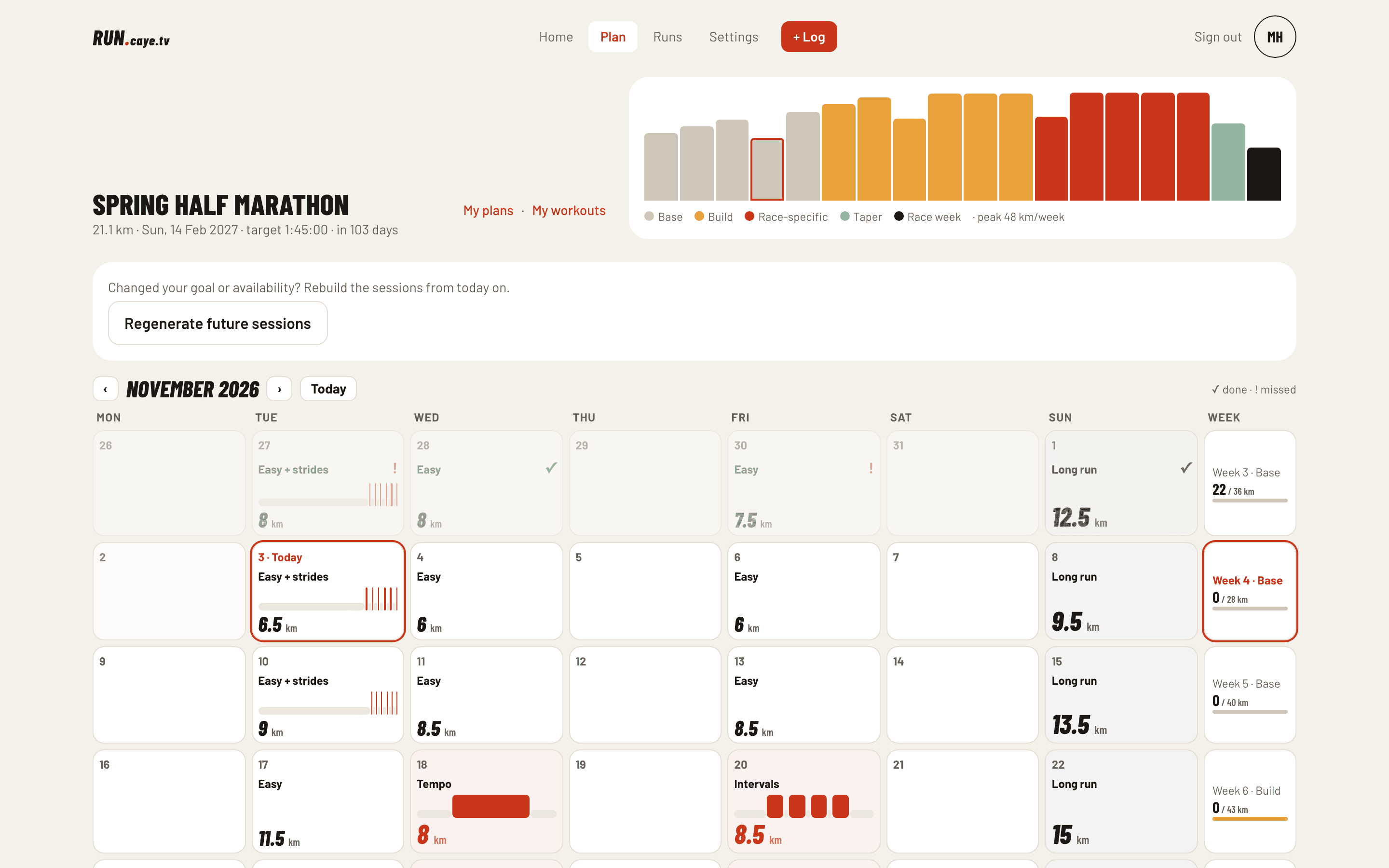
Set a goal and a date, tell it which days you can run, and get a week-by-week plan from base to taper. Runs sync from Garmin Connect™ or your Apple Watch and land on the day's session; each week the plan checks how it went.
 Garmin Connect™Apple Health
Every screenshot on this page is the real app, signed in as a demo runner.
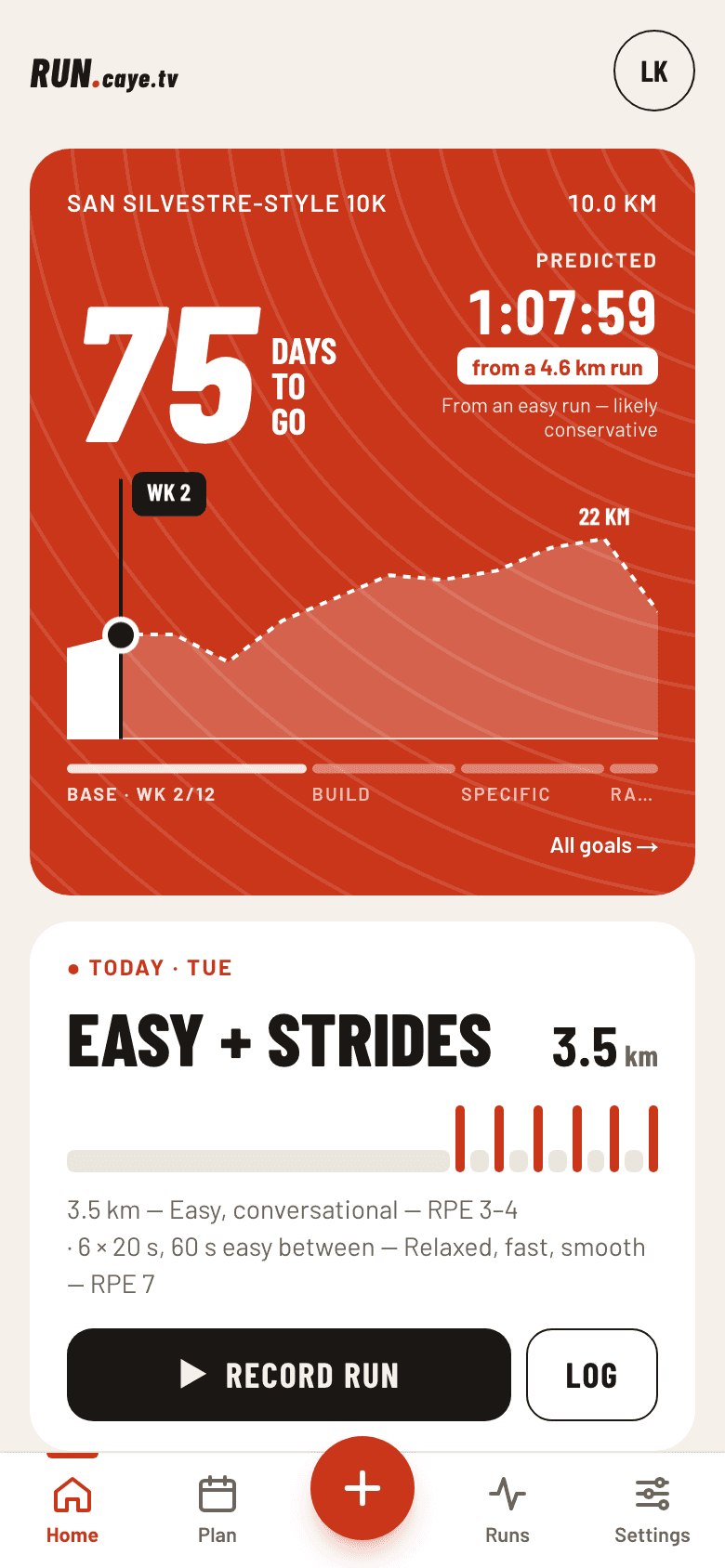
Race day, from today
The countdown, where you are in the plan, today's session and whether your load is on track. The plan's weekly volume is drawn as a course profile — you're the dot.
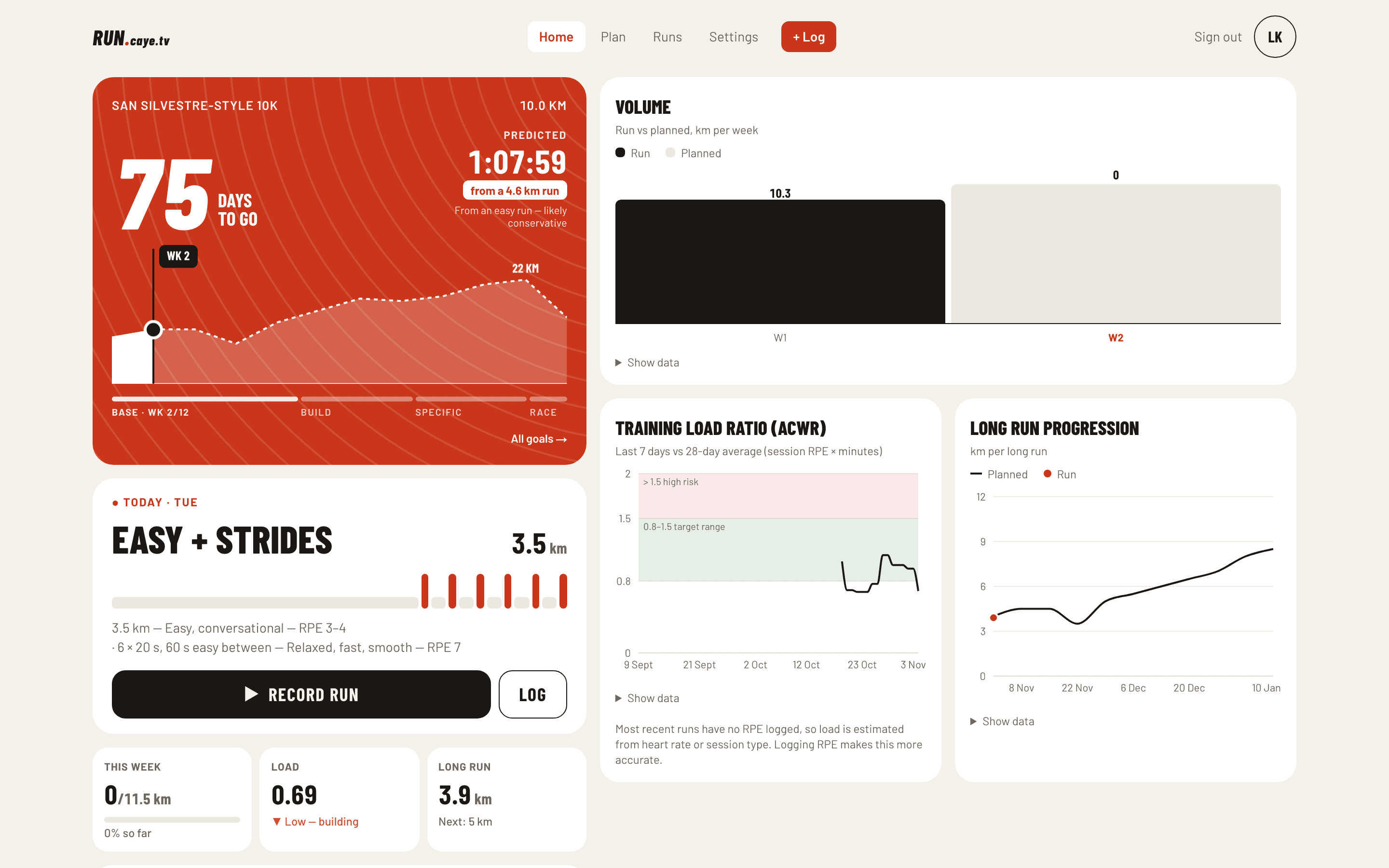
- Predicted vs target
- Estimated from your recent runs and compared against your goal time.
- Training load ratio
- Last 7 days against your 4-week average, with the safe band marked.
- Planned vs run
- Weekly volume bars and long-run progression, with the data one tap away.
Base, build, race-specific, taper
The plan is generated by plain rules, not AI: the same goal and availability always give the same plan, and you can see why every week looks the way it does.
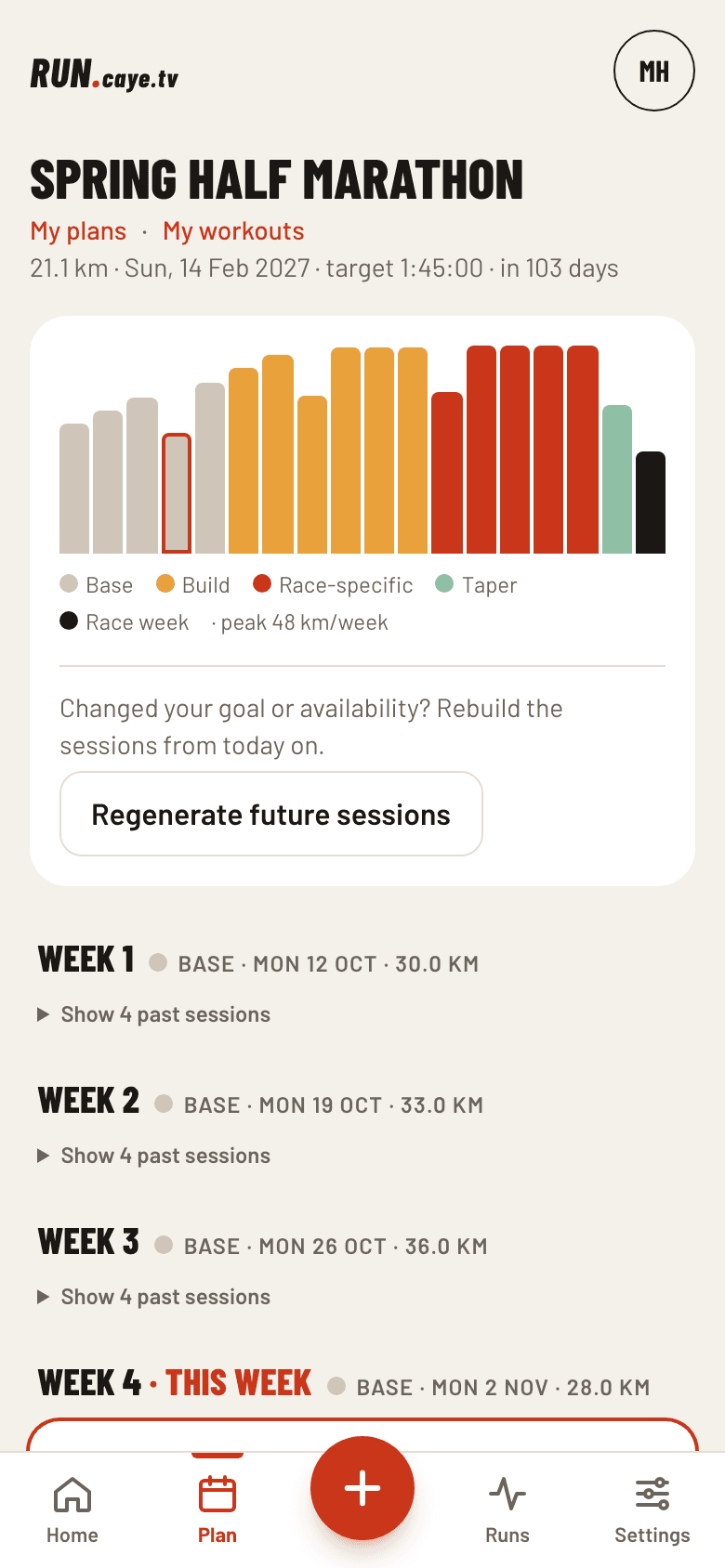
- ≤ 10%weekly volume increase, with a lighter week every fourth
- 0hard days back to back, or next to the long run
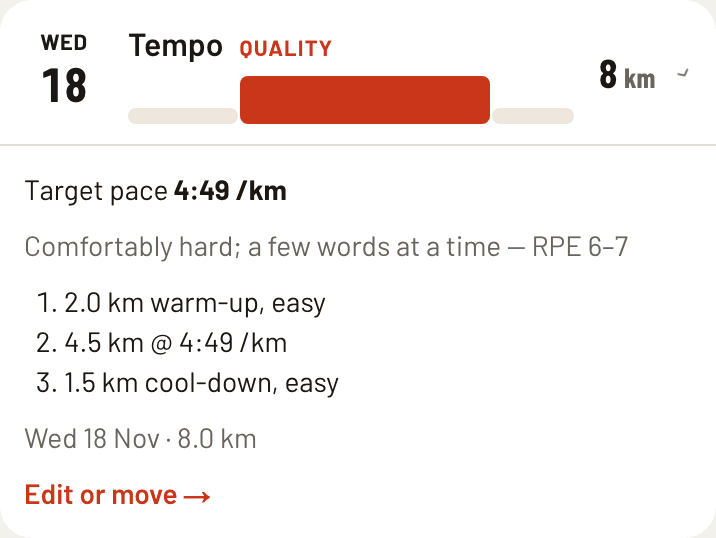
- Riegelpaces derived from your target time — or effort (RPE) if you just want to finish
- Yoursmove or edit any session; regenerating the future keeps your changes
Straight from your watch
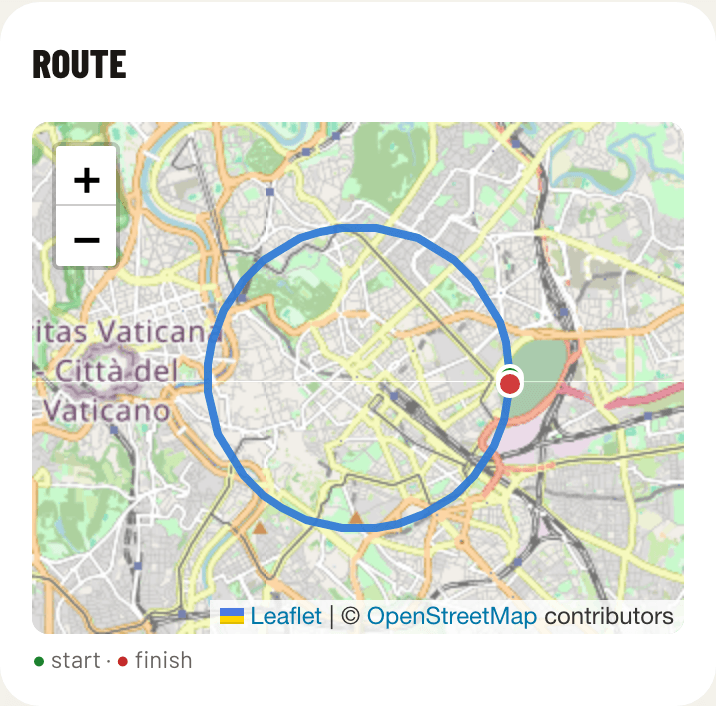
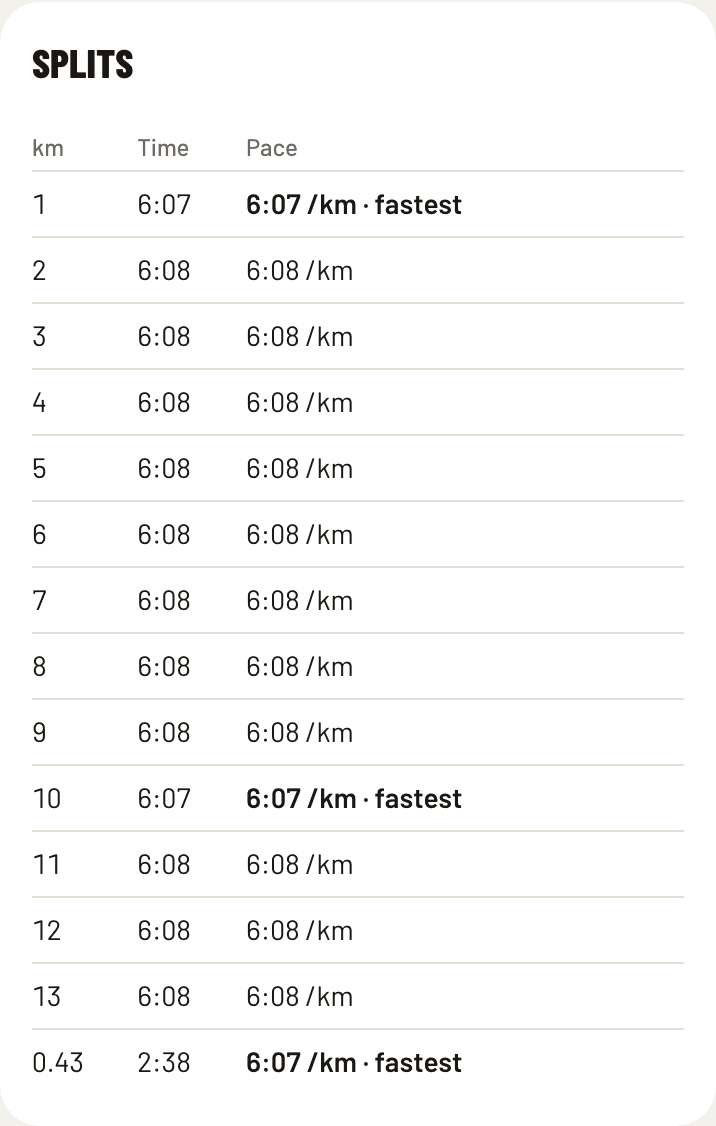
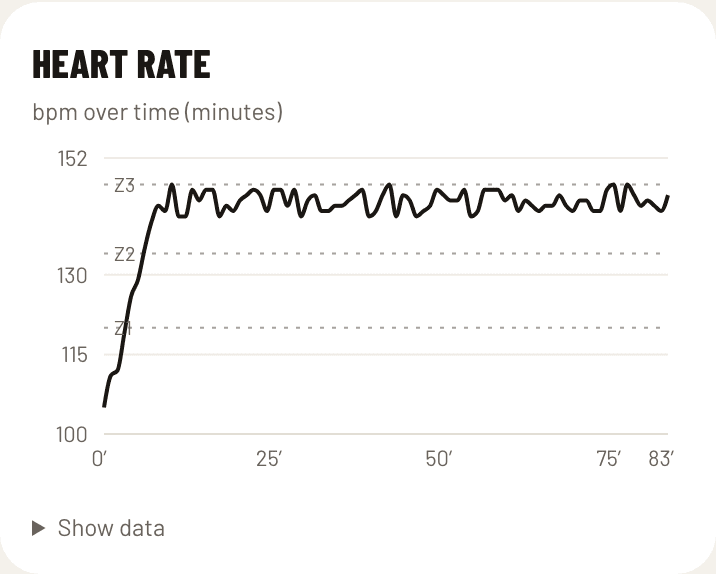
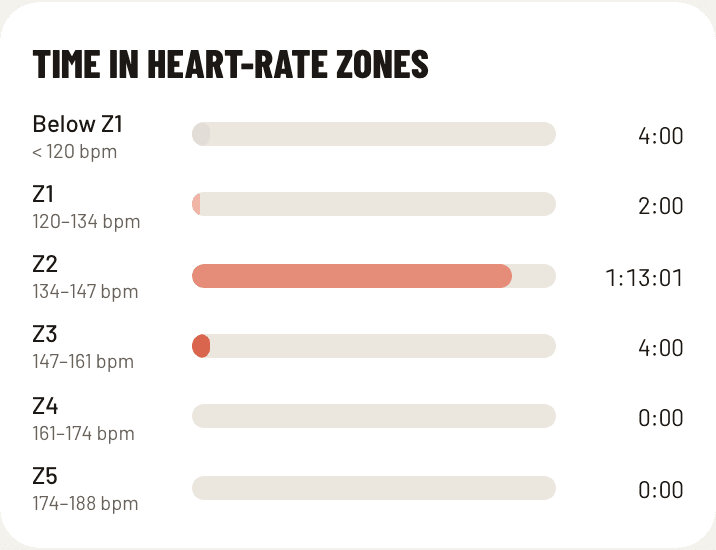
Runs arrive on their own, with route and heart rate, and are matched to that day's planned session. Nothing gets counted twice — not even a run that arrives from both.
Garmin Connect™
Connect once in Settings. Each run lands seconds after your watch syncs. Runs from before you connect aren't imported.
Apple Healthvia Health Auto Export
The iOS app sends your Apple Watch runs automatically. Re-sends are harmless.
The plan notices when life happens
When a week closes, the plan looks at what you actually ran. If something needs to change, you get a proposal with the reason in plain words — accept it or keep the plan as it was.
- Back after a breakMore than a week without running steps the plan back instead of picking up where it was.
- Load spikeLast 7 days well above your 4-week average? Next week gets lighter and loses a hard session.
- Missed weeksTwo weeks under 70% of the plan repeat the load rather than piling on more.
- Too easyQuality runs consistently faster than target suggest reviewing the goal — never changed for you.
How did it feel?
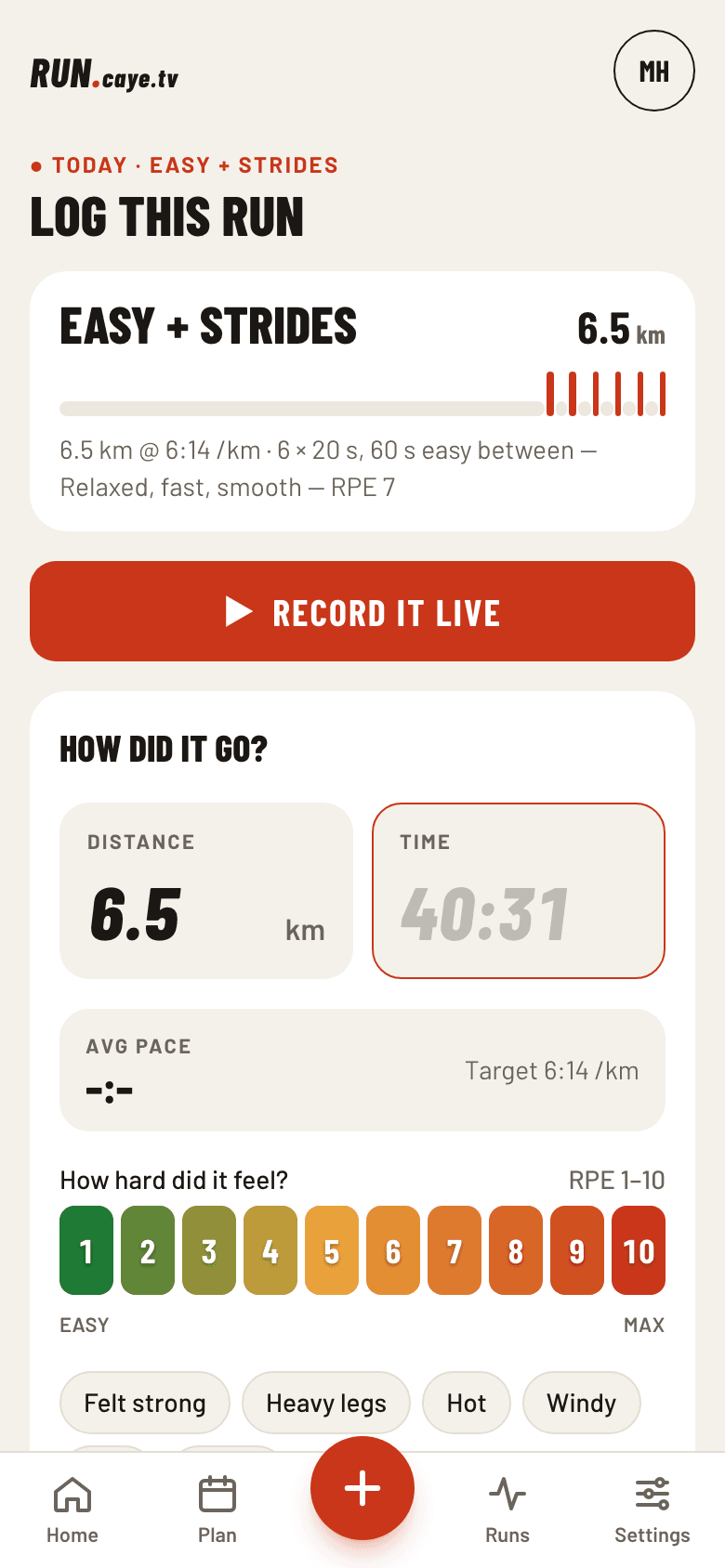
Rate your latest run in two taps, or log one the watch missed. Install it to your home screen and Log is the big red button in the middle.
- Two taps
- Rate how hard your latest run felt, from 1 to 10, and add a note if you like.
- What the watch missed
- Forgot to record? Log the distance and time by hand and it lands on the day's session.
- Sharper check-ins
- Effort ratings feed the training-load numbers, so the weekly check-in gets more accurate the more you log.
- No heart-rate strap?
- Plans for “just finish” goals are written in effort instead of paces.
Pick a race.
Run it.
Set a goal and a date, tell it which days you can run, and your week-by-week plan is ready.